Elle, MCP and the Layers SDK
Three ways to work with Layers: direct with the agent, from the tools you already build in, and with the SDK that makes the loop measurable.
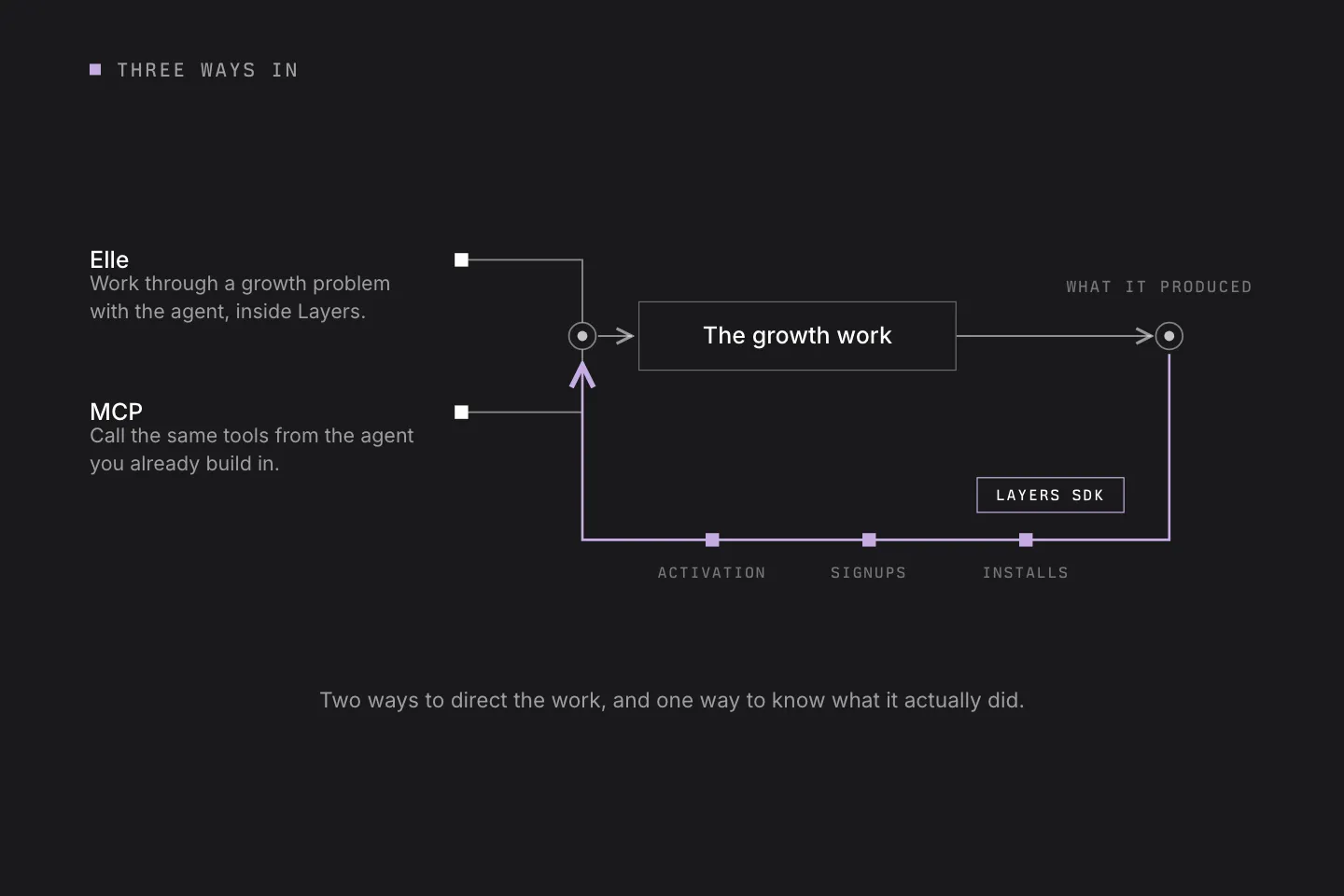
There are a few different ways to work with Layers, depending on how you build and where you want the work to happen.
Three pieces are worth understanding: Elle, MCP and the Layers SDK.
Elle: work directly with Layers
Elle is the agent you work with inside Layers.
Give her your app, website or other product context and start working through a growth problem.
You might ask Elle to:
- identify promising audiences
- research a category or competitor
- develop a growth plan
- come up with an experiment
- create content or ads
- post the work
- review what happened
- recommend what to try next
Elle has the context of the product and the work that has already been done, so each new task can build on the previous one.
For most people, this is the simplest place to start.
MCP: use Layers from the tools you already work in
If you spend your day in an agent or coding environment, Layers can come to you.
The Layers Growth MCP server lets an MCP-compatible agent call Layers tools directly. That means your agent can work with Layers to create projects, generate content, schedule or post, and read results without requiring you to move back and forth between workflows.
So you could be working on your app and ask your agent:
“We just shipped this new feature. Use Layers to develop and prepare a launch test for it.”
The agent can use Layers as part of that workflow. This is particularly useful for builders who already work heavily through agents and want growth to sit closer to the product-development process.
SDK: make the loop measurable
The Layers SDK handles another part of the system: what happens after somebody responds to the marketing.
Install it in your app and Layers can receive the events that matter to you, such as:
- installs
- signups
- activation
- trial starts
- purchases
- other meaningful product events
That gives Layers a much stronger signal than reach or clicks alone. A video with a lot of views may produce very few useful users. Another piece of content may reach fewer people but consistently bring in people who install, activate and stick around.
The SDK makes that difference visible.
Put them all together
A simple Layers workflow could look like this:
- Use Elle, or your own agent through MCP, to choose an audience and experiment.
- Create and distribute the work.
- Use connected channel data and the SDK to see what happened.
- Feed that result into the next experiment.
You can start with one piece and add the others as you need them. The important part is keeping the product context, the growth work and the resulting signal connected.